Everything Your Airport Needs in One Platform
From interactive maps to FAA compliance — every tool an airport manager needs, built into one platform that actually understands aviation.
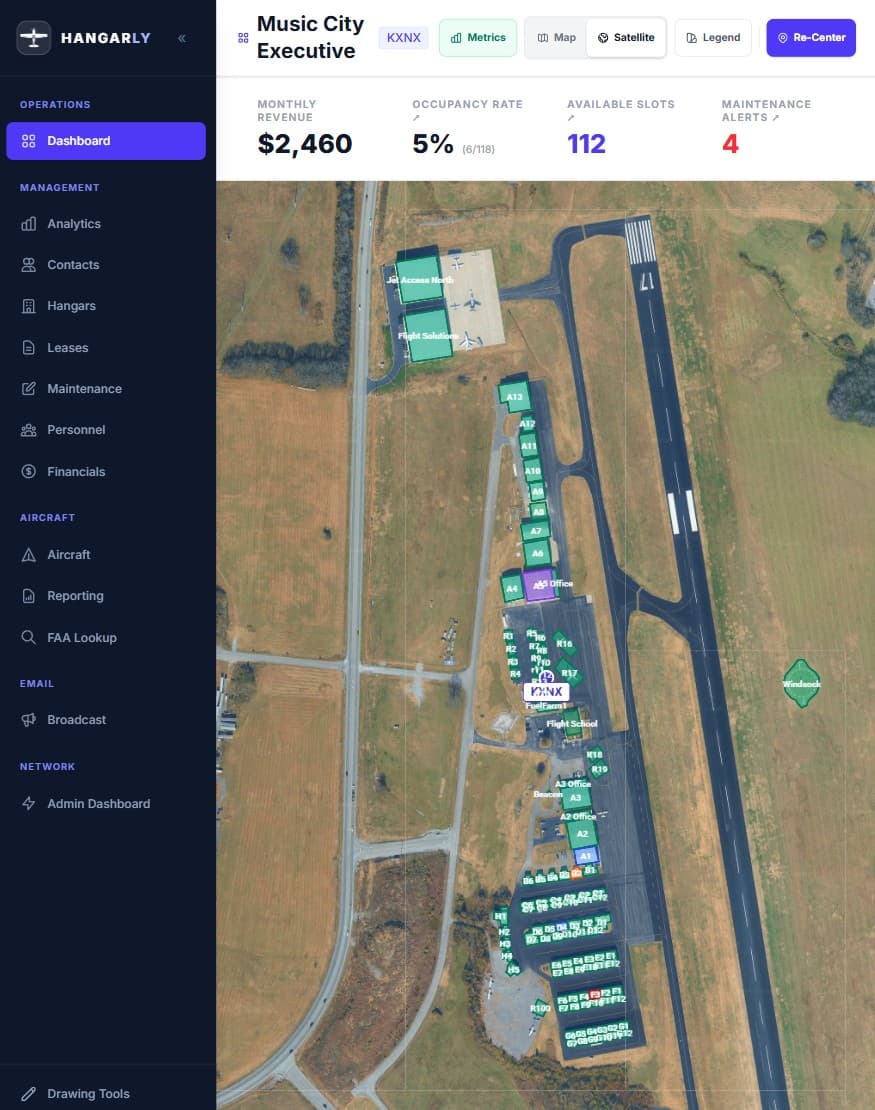
Complete Airport Status at a glance
Your airport, on a satellite map, with every hangar drawn as a clickable polygon. This isn't a generic dashboard — it's YOUR airport.
- See all hangars color-coded by status (occupied, available, maintenance)
- Click any hangar to instantly see tenant details, lease dates, and maintenance history
- Draw and edit hangar boundaries directly on the map
- Right-click context menus for quick actions — no digging through menus
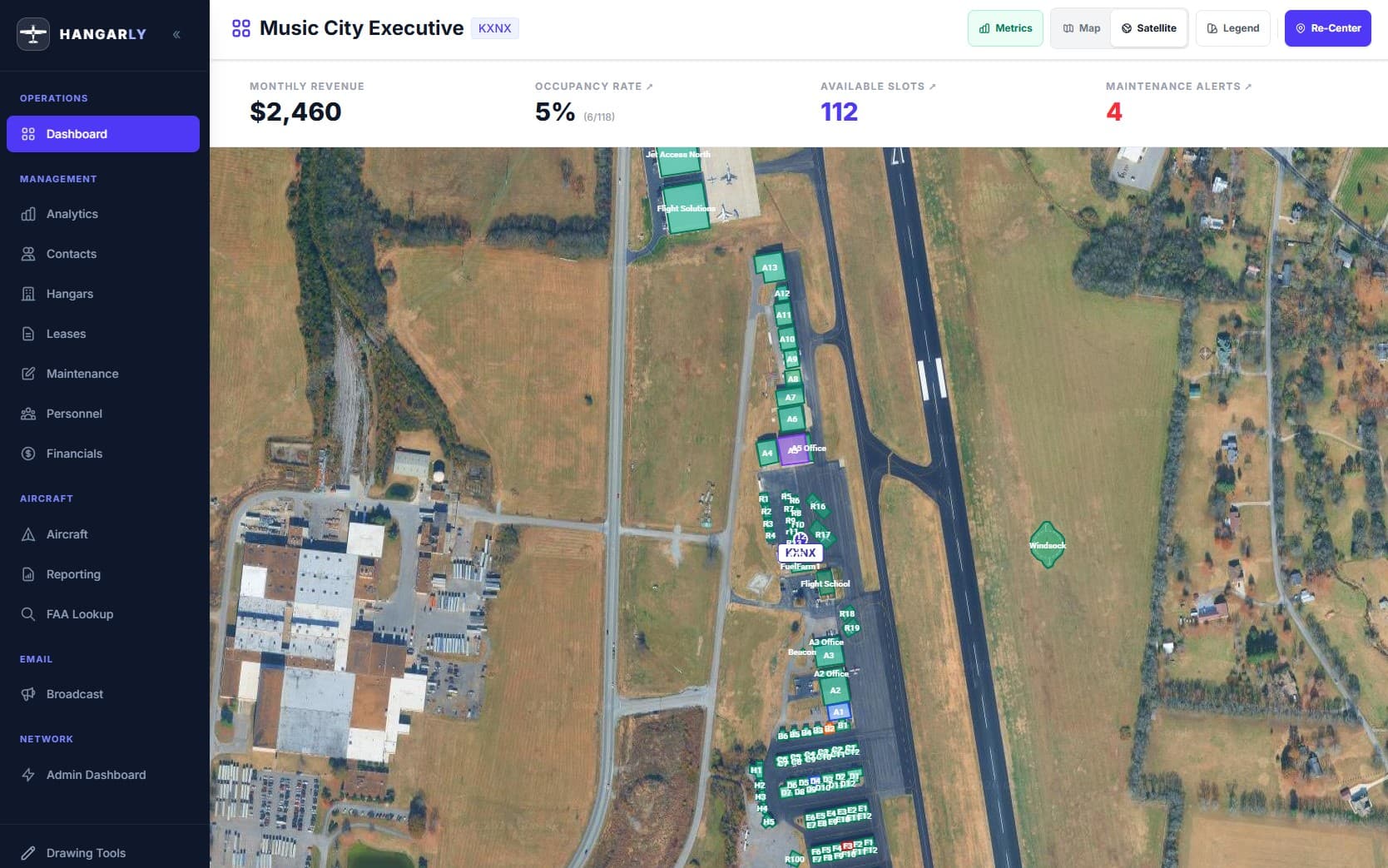
Draw Your Hangars Right on the Map
No CAD software needed. Draw hangar footprints and airport assets directly on the satellite map with built-in polygon and shape tools.
- Draw hangar boundaries as precise polygons — click to place points, close the shape, done
- Edit existing shapes anytime — drag vertices, resize, or redraw as your layout changes
- Label each shape with hangar IDs, names, or custom tags for instant identification
- All drawn data is saved and synced — your map stays current across every device
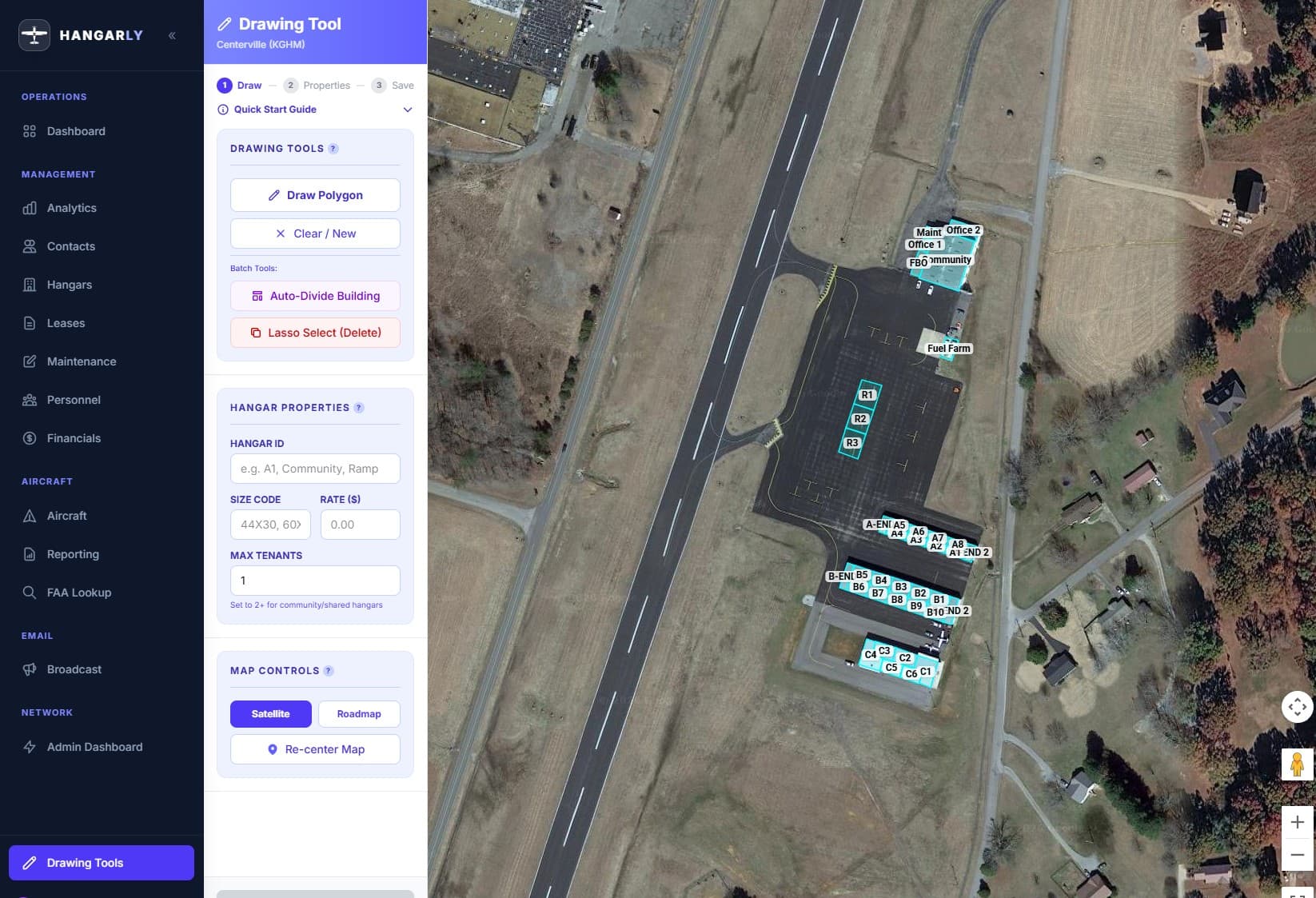
Know Every Hangar, Every Tenant, Every Detail
A complete picture of every hangar in your facility — who's in it, what they're paying, and what needs attention.
- Track hangar identifiers, aircraft size limits, hourly rates, and maximum tenants per hangar
- See occupancy status at a glance across your entire facility
- Archive inactive hangars without losing historical data
- Auto-divide large hangars into individually managed sub-hangars
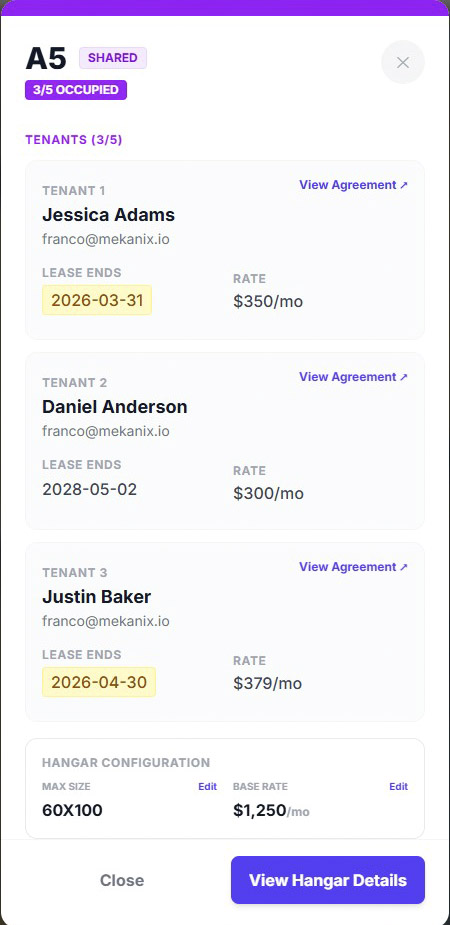
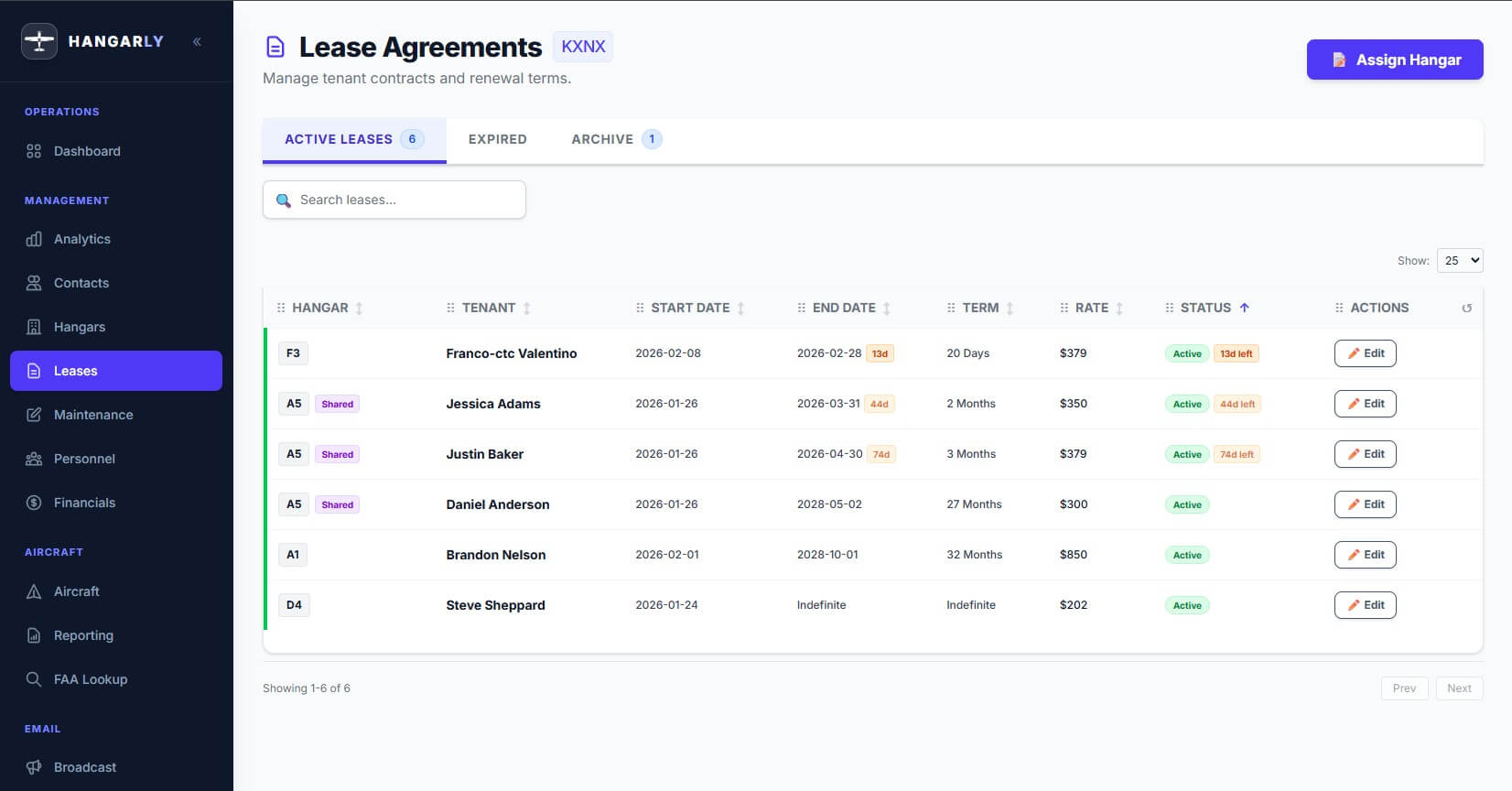
Never Miss a Lease Renewal Again
Leases don't slip through the cracks when the system is watching for you.
- Create leases with start/end dates, insurance deadlines, and renewal terms
- Get alerts before leases expire or insurance lapses — automatically
- Tenants are automatically emailed within a 90-day window of lease expiration — no manual follow-up needed
- Link every lease to a hangar and a contact, with documents attached
- Auto-expire past-due leases and reactivate when ready
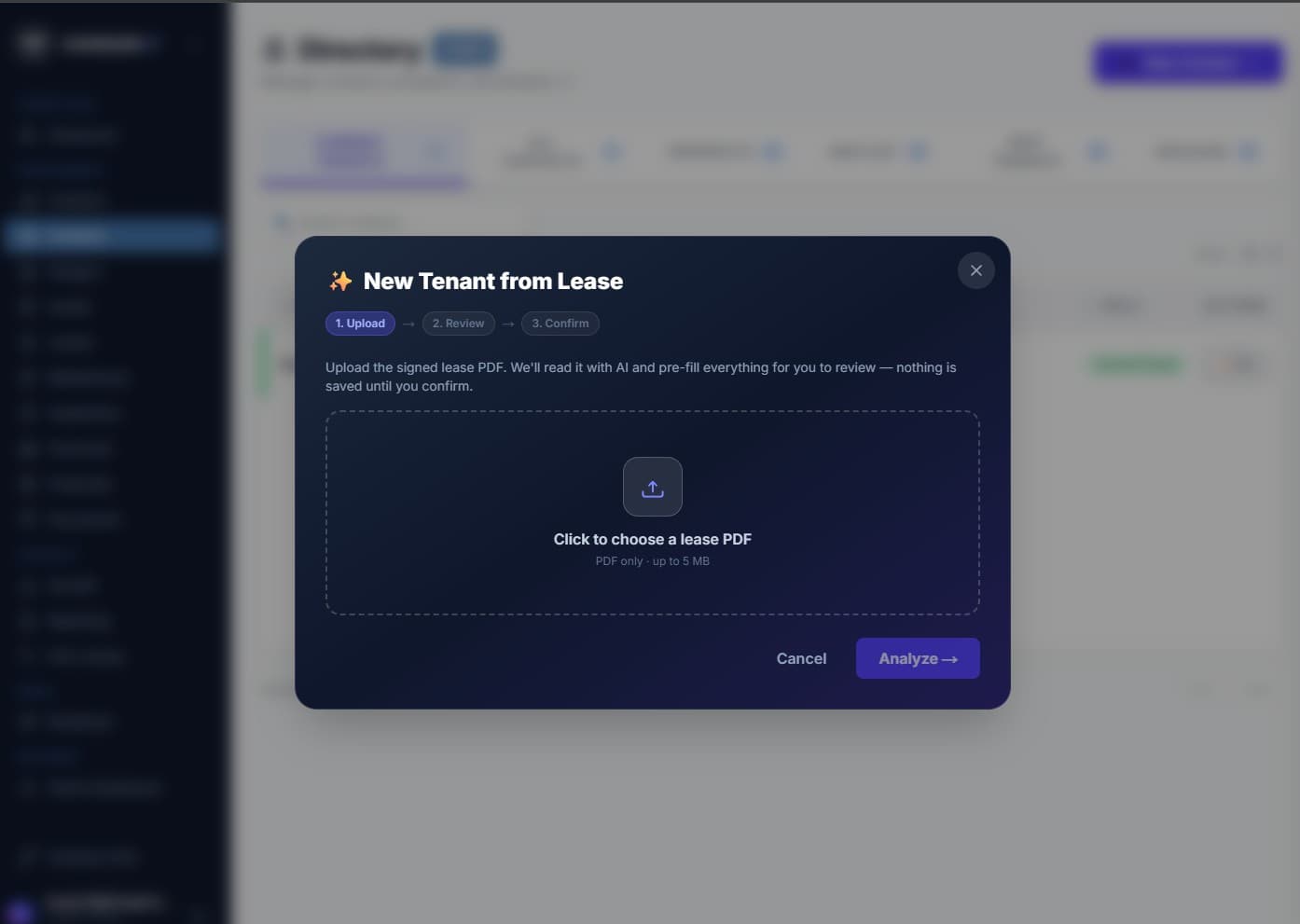
Turn a Signed Lease Into a Complete Record — in Seconds
Upload a signed lease PDF and Hangarly's AI reads the document, fills in every field, and lets you review before anything is saved — turning hangar onboarding from minutes of manual data entry into a quick review.
- Onboard a tenant from their lease — the AI extracts name, company, contact info, and lease terms (dates, rate, insurance, renewal) and matches the hangar named in the document. One confirm creates the contact and lease together.
- Assign a lease from a document — upload from the Leases screen, let the AI pull the terms, pick the existing tenant and hangar, review, and confirm.
- AI amendment analysis — upload an amendment and see a clear before → after comparison of only the terms that changed. Approve to apply it to the existing lease.
- Plain-English Lease Summaries — every AI flow generates a hangar-labeled summary PDF (renewals, rent escalation, insurance, termination and notice terms) in the tenant's documents.
- Upload → Review → Confirm — nothing is saved until you confirm, every field is editable, and a confidence indicator flags anything to double-check. It removes the typing, not the judgment. (PDF only, up to 5 MB; not legal advice.)
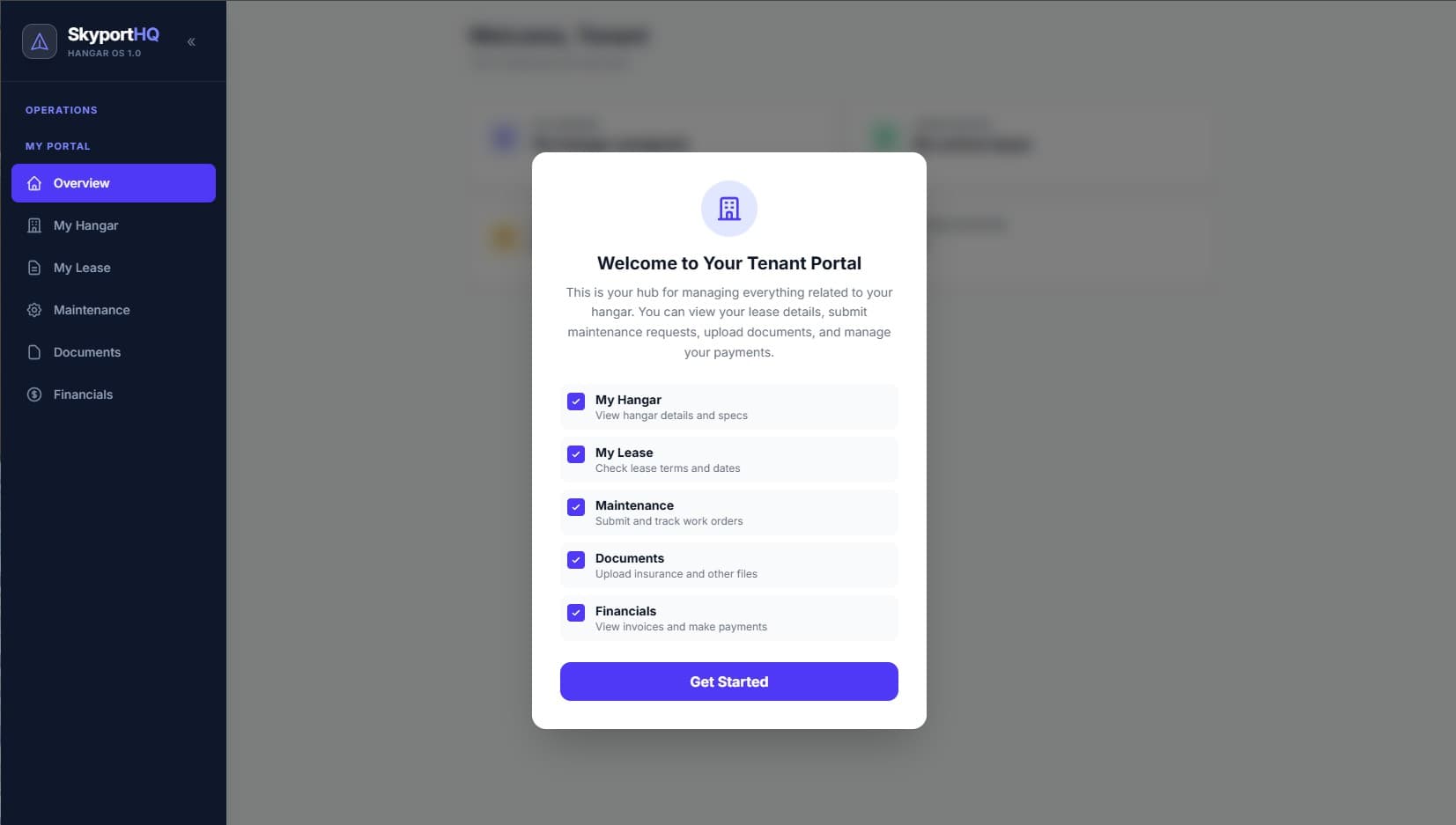
Self-Service Your Tenants Will Actually Use
Give your tenants a self-service portal and get your phone back.
- Tenants log in to see their hangar details, lease terms, and documents
- They submit maintenance requests directly — no more texts and voicemails
- They view and pay invoices with one-click Stripe payments
- They upload insurance certificates and required documents themselves
- You stop being a help desk and start being a manager again
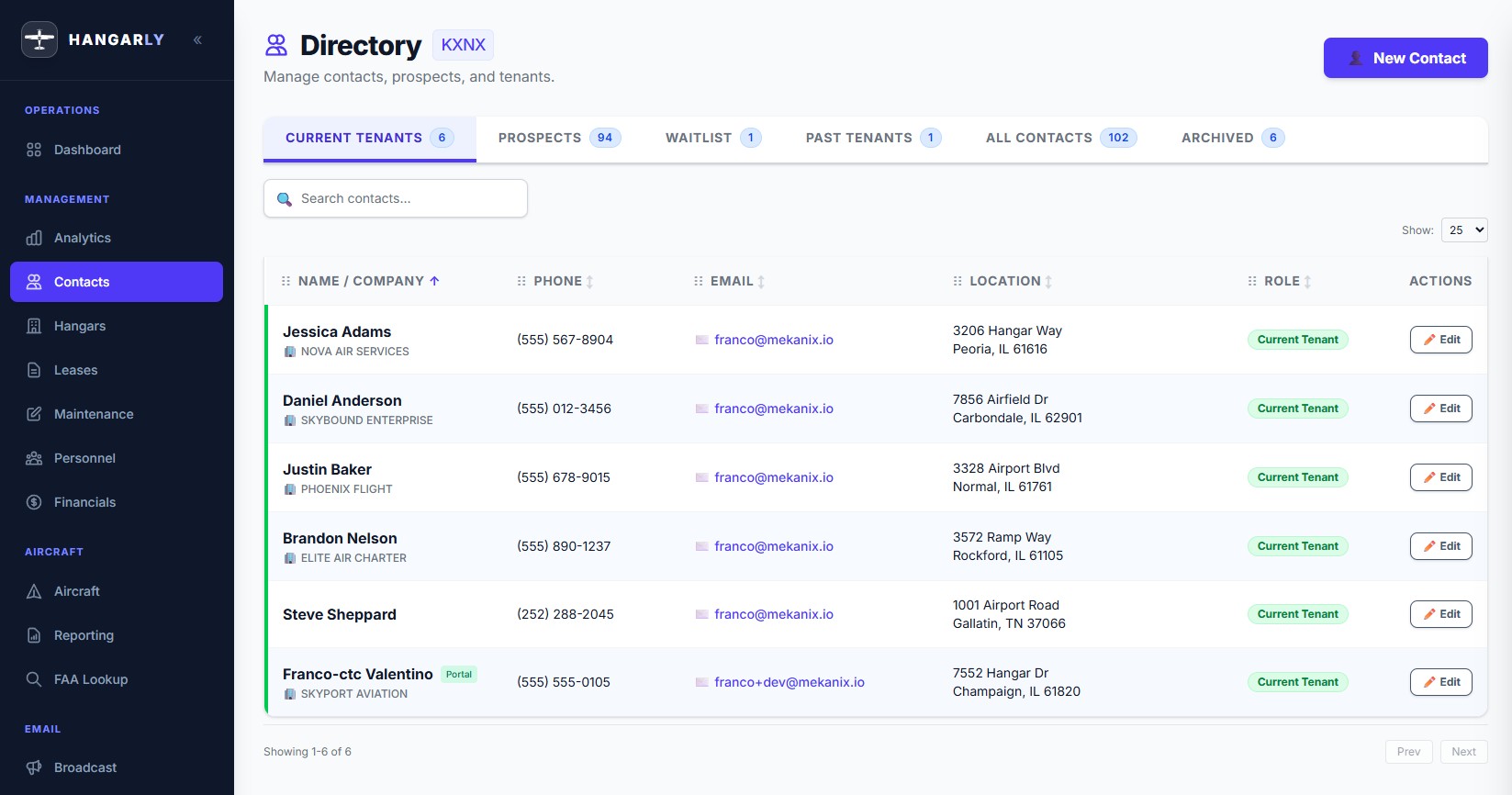
Every Tenant, Prospect, and Past Client — Organized
Every relationship is connected. No more "I think their info is in that other spreadsheet."
- Full profiles: name, company, email, phone, billing address, shipping address
- Categorize contacts as current tenant, prospect, waitlist, or past tenant
- Link contacts to their hangars, leases, aircraft, invoices, and documents — everything connected
- Bulk import your existing contacts from CSV — bring your spreadsheet data with you
- Invite contacts to the tenant portal with one click
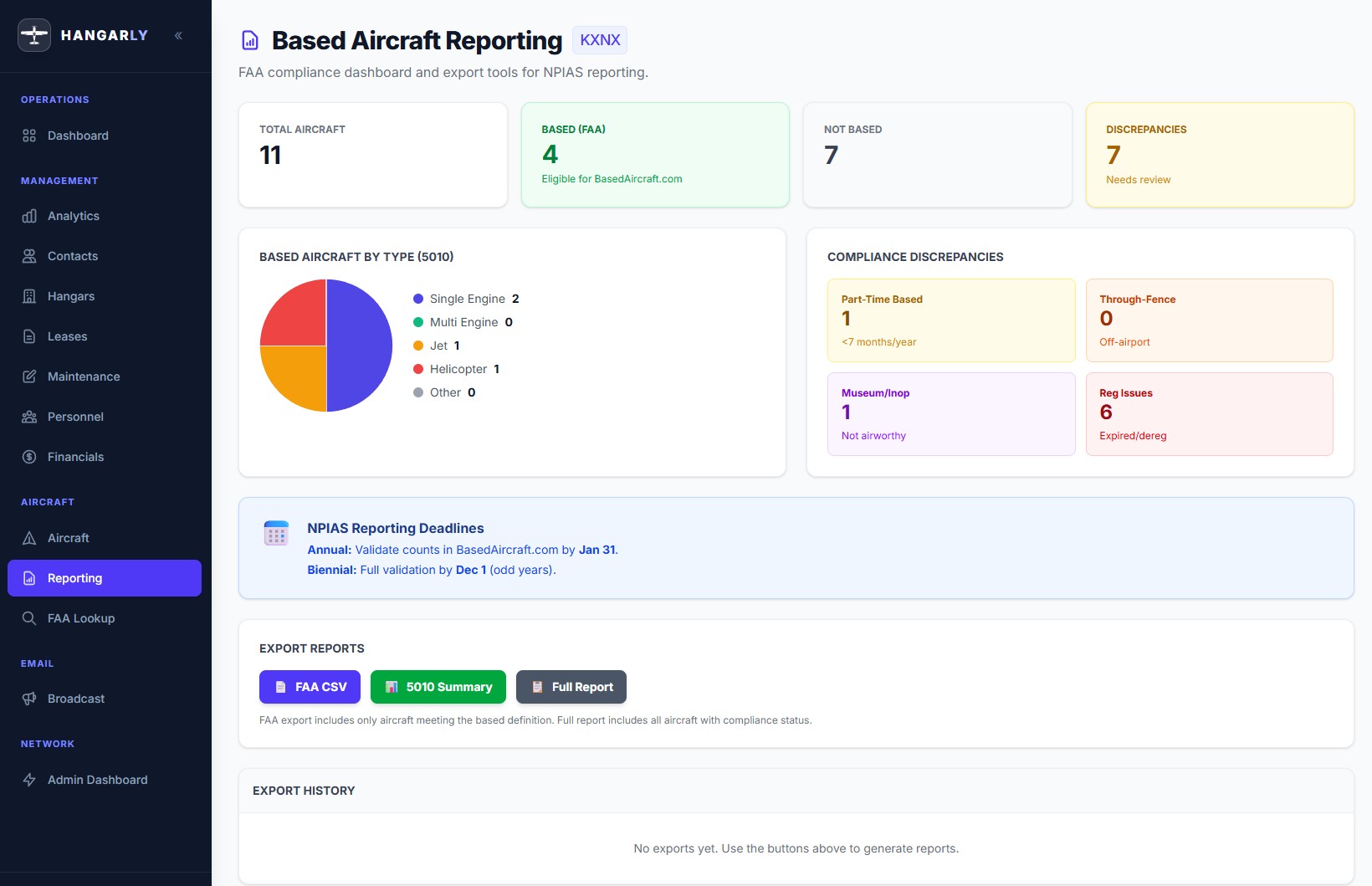
Based Aircraft Tracking That Satisfies the FAA
No more wasted hours preparing Based Aircraft compliance reports for the FAA. You'll have it in 30 seconds.
- Maintain a complete registry of all aircraft on your field — N-number, make, model, owner
- Real-time FAA N-number lookups in the app. Pull registration and owner data instantly
- Track based vs. transient aircraft with multi-field compliance checklists
- Generate NPIAS-ready based aircraft reports with charts — exportable, auditable
- Full change log: every status change recorded with timestamps and before/after values
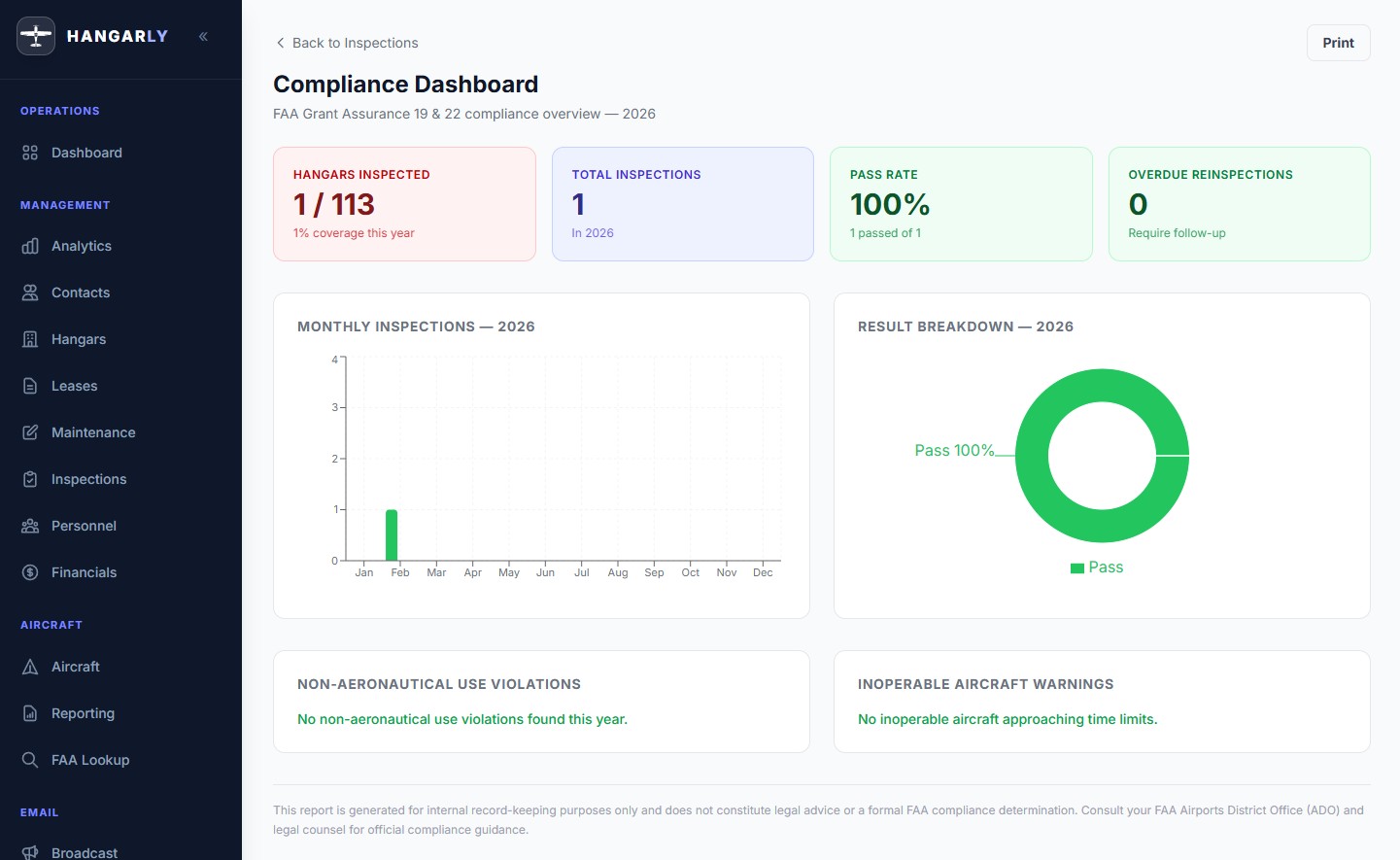
Built-In FAA Compliance Inspections
Replace clipboards and spreadsheets with a digital inspection workflow that prepares your documentation for FAA Grant Assurance 19 and 22 compliance reviews.
- Structured forms capture aircraft status, hangar condition, aeronautical use compliance, categorized photos with captions, and on-screen inspector signature — all in one record
- Every inspection receives a clear Pass, Fail, or Conditional result with corrective action tracking
- Reinspection chains link follow-ups to the original finding, creating the traceable timeline auditors expect to see
- Compliance dashboard shows hangar coverage, pass rates, overdue reinspections, non-aeronautical use violations, and monthly trend charts — printable and audit-ready
- Supports Annual, Complaint, Follow-Up, and Spot Check inspection types with overdue alert banners so nothing falls through the cracks
- Generate formatted PDF reports with embedded photos and inspector signatures, or print directly from the browser
- Save inspections as drafts to continue later, or finalize to lock the record for long-term retention
- Mobile-friendly card layout lets inspectors complete inspections on a tablet while walking the ramp
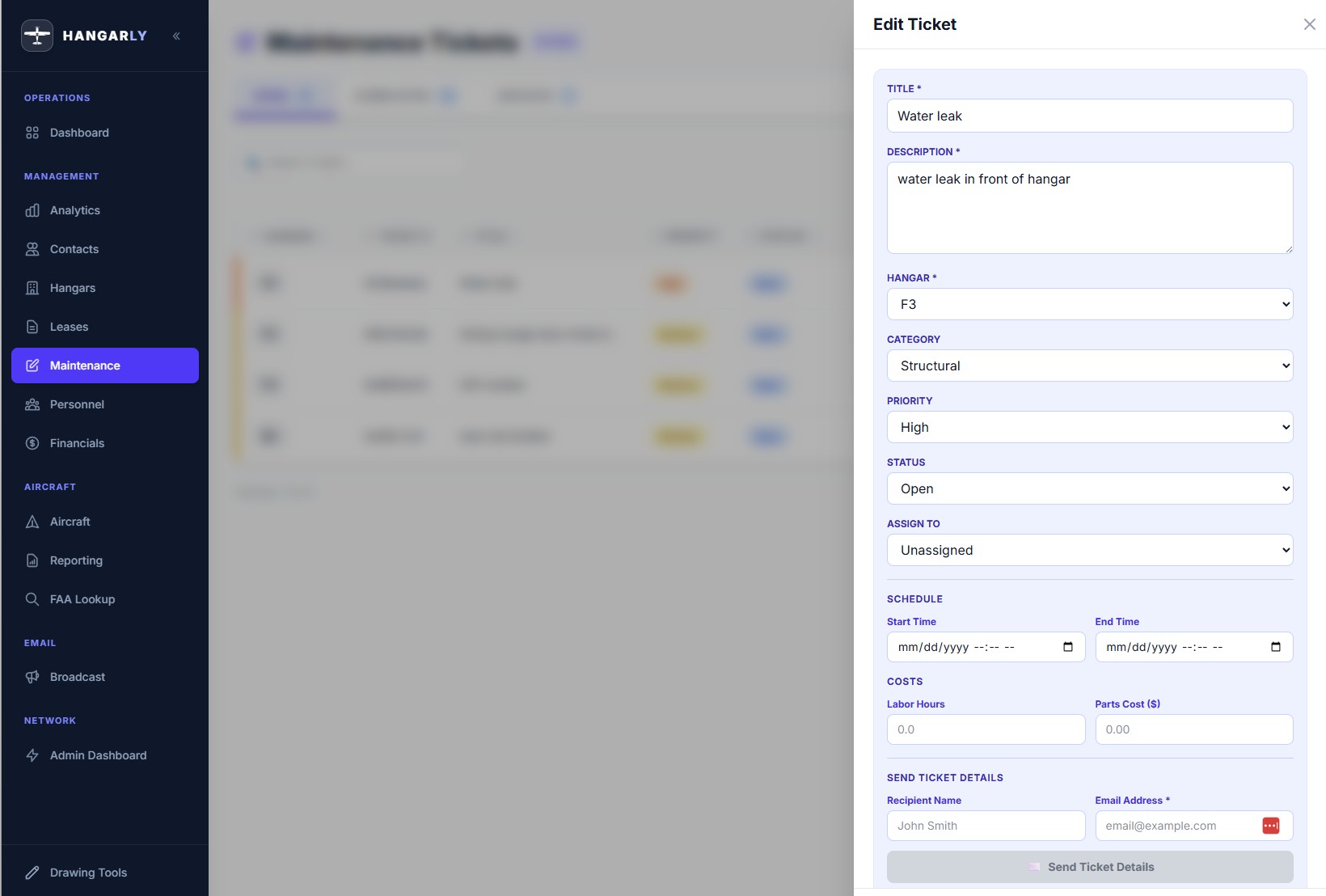
From Request to Resolution, Fully Tracked
No more maintenance requests lost in email threads. Every ticket tracked from submission to completion.
- Create tickets with priority (Low to Urgent), category (HVAC, Electrical, Plumbing, Structural, General), and staff assignment
- Track labor hours and parts costs per ticket — know what maintenance really costs
- Tenants submit requests from their portal — you get an email notification instantly
- Status workflow keeps everyone informed: Open, In Progress, Completed
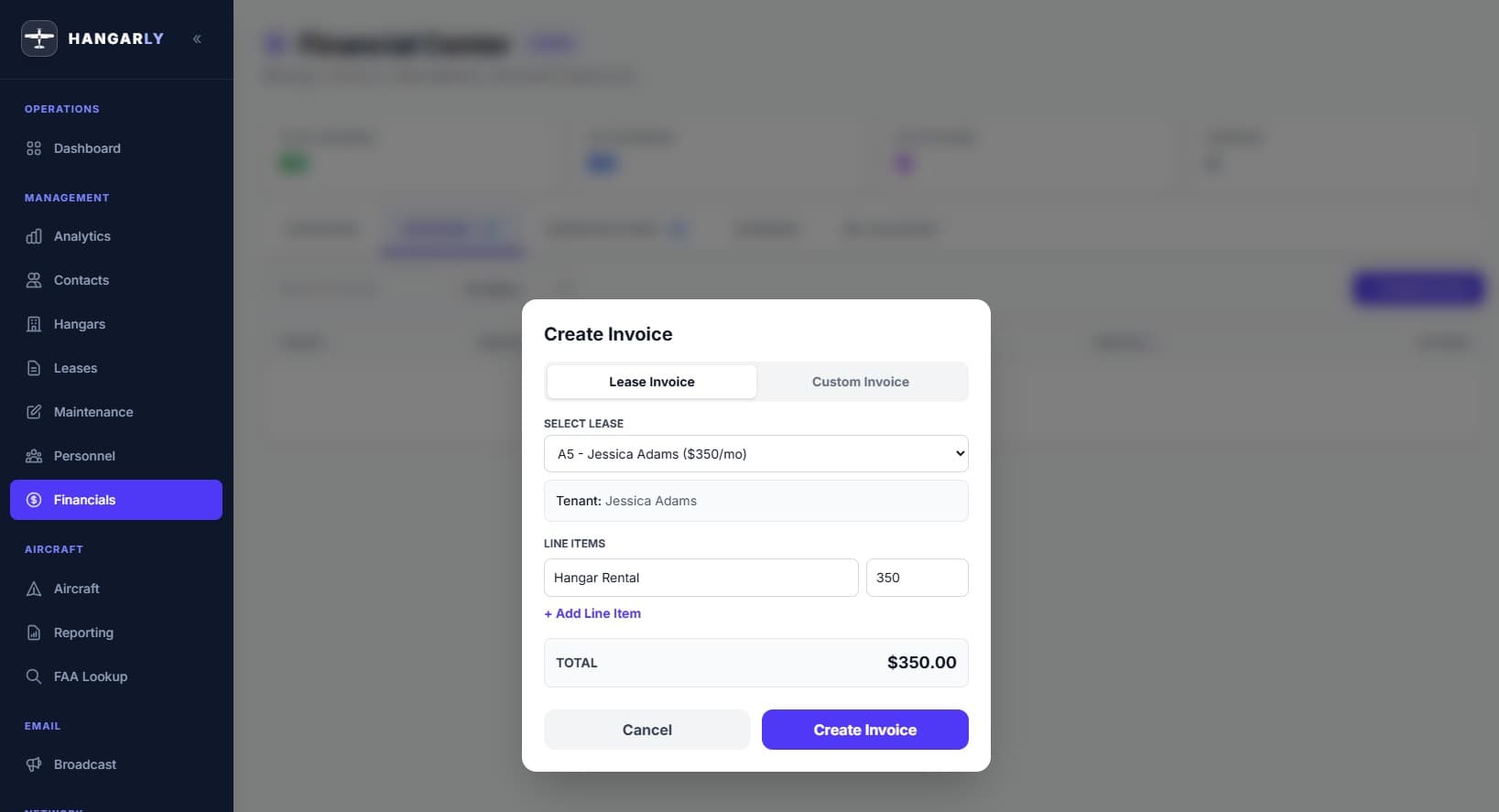
Get Paid Faster with One-Click Payments
Stop mailing paper invoices and waiting 30 days. Get paid in minutes.
- Create and send invoices to any contact. Including overnight Ramp guests
- Tenants pay online via Stripe — one-click “Pay Now” links right on the invoice
- Track payment history, outstanding balances, and recurring subscriptions
- Full financial dashboard shows totals, trends, and what's overdue
- Set up recurring billing for monthly or annual hangar leases, including community hangars
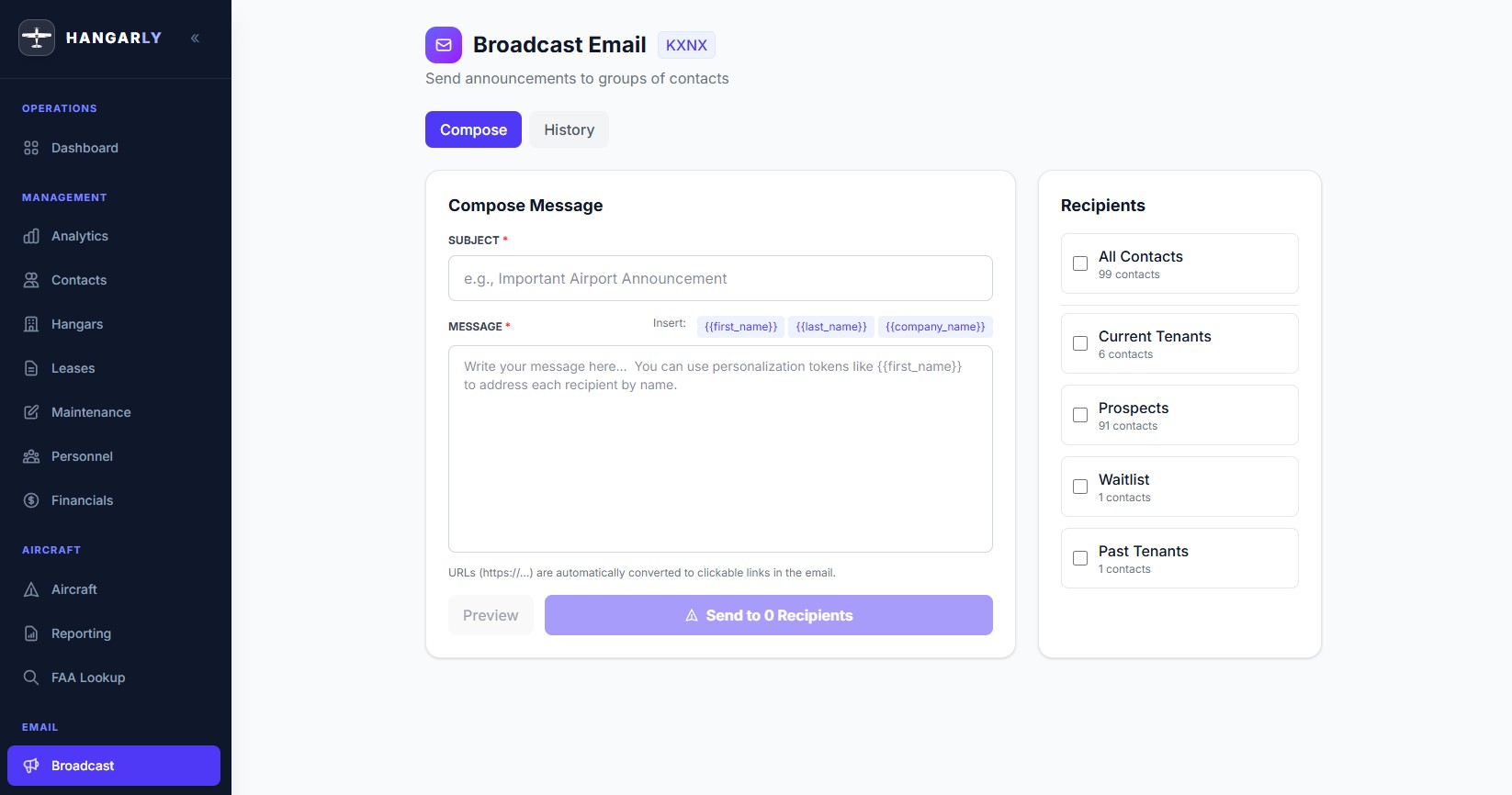
Reach Every Tenant in Seconds
When you need to communicate, don't send 40 individual emails. Send one broadcast.
- Target specific groups: all tenants, prospects, waitlist, past tenants
- Personalize with merge tags — {{first_name}}, {{last_name}}, {{company_name}}
- Preview exactly what recipients will see before sending
- Track delivery status and see who received what
Keep Your Team & Vendors Organized
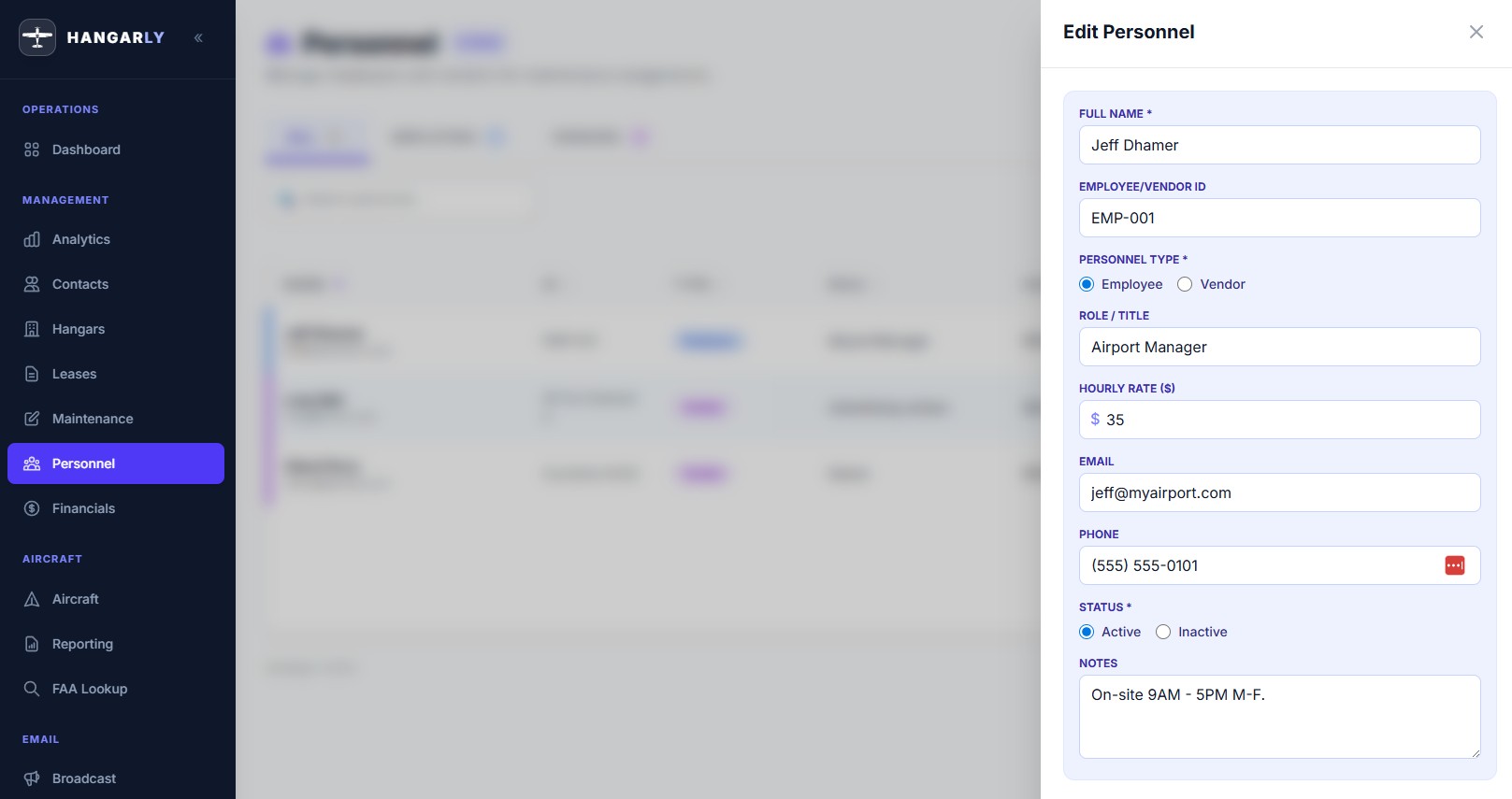
Know who's on staff, which vendors to call, and how to reach everyone — all in one place.
- Manage a staff directory with roles and contact info
- Assign maintenance tickets to specific team members
- Track vendors by trade — HVAC, electrical, plumbing, structural, and more
- Store vendor contact info, specialties, and notes for quick reference
- Track active and inactive personnel and vendors with archive/restore
Manage Your Airport From Anywhere
Hangarly is fully responsive — built to work just as well on a tablet in the hangar as it does on a desktop in the office (WiFi or Cell Internet required).
- Full functionality on iPads, tablets, and phones — no separate app needed
- Check hangar status, review leases, and respond to maintenance requests on the go
- Tenants can access their portal from any device
- Optimized touch-friendly interface for field use